
Ninja Camera - Get APK
You'll be able to download in few seconds.
Publisher Description
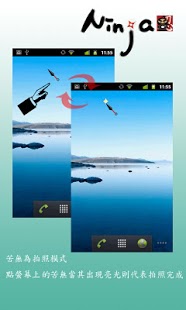
★★★ This is a really spy camera!!
The most secret, easiest camera software.
The real recording system for anytime and anywhere
If the problems you post previously have been solved, please also remember to update your comments. Your recognition is great encouragement to us. Thank you!
.New feature Super Silent mode - Now, you can take picture quietly in every devices! You must try it!
.Loclick - A new function just like iOS5! Start Ninja camera directly on lock screen without unlock.
.Silent Camera(record/capture)- provide the shutter sound off function.
.Home screen tools(Widget)- record/capture become easier, faster and Soundless.
.Auto-switch to background recording during the incoming calls or screen save mode and the video remains recording.
.Provide different resolution, focusing mode accordingly to different devices.
.Simple picture/video explorer for you to view/delete the pictures.
★Lock screen mode:
Useful for capture those unexpected moments! You can open Ninja Camera from the Lock screen. Quickly and conveniently.
★Home screen mode:
User can quickly take a picture or record a video by the Widget at home screen and there is no need to launch the Camera application. Support soundless function that is completely silence when using the Widget.
★Normal Mode:
This application support background recording which means you can launch another application and record video at the same time; Such as, playing the angry bird while you are recording. Full screen preview window and user can switch the Picture/Record mode by sliding left/right. User can just click the screen to take pictures or start /Stop recording videos. This application could support different resolution according to different devices.
★Known issues
1. LG P990/999 default Gallery can't display the pictures (suggest installing QuickPic)
★Note:
1. Don't be too evil.
2. Some device can't close shutter sound via
Settings > Audible capture sounds
Please try to enable "Super Silent Mode"
Settings > Camera > Super Silent Mode
Don't hesitate to send us an email if you have trouble using this software. please feel free to send your feedback at TAB.apStore@gmail.com
Google+: https://plus.google.com/102558830746147186079
Community: https://plus.google.com/communities/115584087667306852687
Disclaimer of Warranties
This Application is available to download for your personal, non-commercial use only. You must not use the Application in any way that causes, or is likely to cause, the Application or access to it to be interrupted, damaged or impaired in any way and you must only use the Application for lawful purposes. If you use this Application to do any wrongdoing or anything illegal or infringe the rights of others, you shall solely be liable for the related civil responsibilities and criminal penalties, and the Developer would always be irrelevant.
About Ninja Camera
The company that develops Ninja Camera is TAB - Taiwan Always Best. The latest version released by its developer is 1.0 .
To install Ninja Camera on your Android device, just click the green Continue To App button above to start the installation process. The app is listed on our website since 2014-08-19 and was downloaded 0 times. We have already checked if the download link is safe, however for your own protection we recommend that you scan the downloaded app with your antivirus. Your antivirus may detect the Ninja Camera as malware as malware if the download link to com.lak.android.ninja is broken.
How to install Ninja Camera on your Android device:
- Click on the Continue To App button on our website. This will redirect you to Google Play.
- Once the Ninja Camera is shown in the Google Play listing of your Android device, you can start its download and installation. Tap on the Install button located below the search bar and to the right of the app icon.
- A pop-up window with the permissions required by Ninja Camera will be shown. Click on Accept to continue the process.
- Ninja Camera will be downloaded onto your device, displaying a progress. Once the download completes, the installation will start and you'll get a notification after the installation is finished.
Program Details
System requirements
Download information
Pricing
Version History
version Varies with device
posted on 2014-08-19
version Varies with device
posted on 2013-06-15
Several fixes and updates
Disclaimer
External Download
We do not host Ninja Camera on our servers. We did not scan it for viruses, adware, spyware or other type of malware. This app is hosted by Galad and passed their terms and conditions to be listed there. We recommend caution when installing it.
The APK Download link for Ninja Camera is provided to you by apps112.com without any warranties, representations or guarantees of any kind, so access it at your own risk.
If you have questions regarding this particular app contact the publisher directly. For questions about the functionalities of apps112.com contact us.
